
RatPac
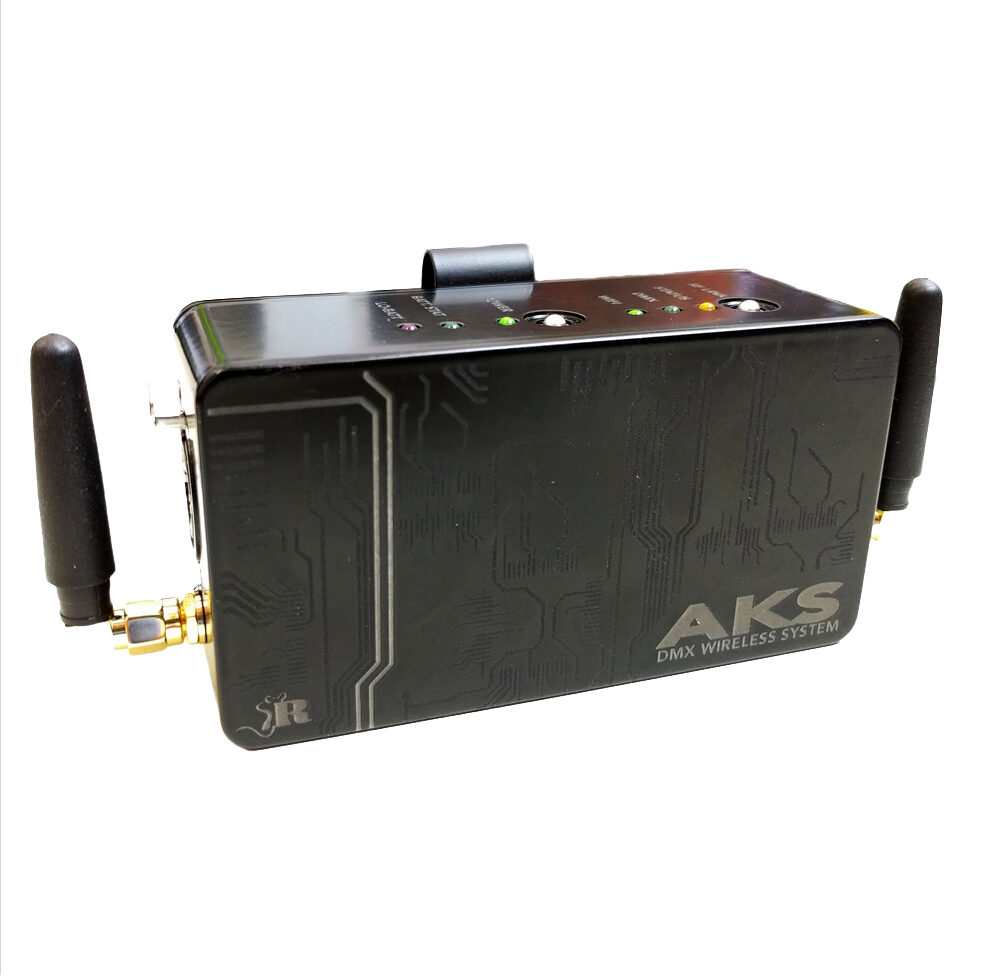
RatPac AKS DMX Wireless System
With the AKS DMX Wireless System, you no longer have to rely on bulky DMX cables or dangling power supplies. Dim lights using an app on your smart phone or tablet.
Available from UK
Overview
AKS DMX Wireless System for light control
With the RatPac AKS DMX Wireless System, you no longer have to rely on bulky DMX cables or dangling power supplies. Wireless lighting control has never been so easy – no more hassle with hooking up a mass of cables with transmitters and routers and no need for a computer science degree to configure the set up, saving you time and money!
Professionals in the film and TV trade can control the lights on set by downloading RatPac’s industry tested software on smart phones or tablets, both Apple and Android, and linking to the Lumen Radio powered AKS. LumenRadio’s CRMX technology gives the AKS over 1,200 feet of range to the lights and uses 128 bit encryption and error correction to ensure a clear signal no matter what.
Long range WiFi allows your tablet or phone to control the AKS from up to 250 feet away and the Ethernet port interfaces with most modern consoles and PC based DMX software. The included L2-Net Ethernet cable allows IOS devises with Luminair 3 software to work with the AKS even if the WiFi environment is saturated.
Set up is simple; turn on the AKS go to your device’s WiFi settings and chose RatPac AKS as your wireless network, turn on your DMX app and you’re ready to go!
Rapid Charging and a 14 hour battery ensure that you’ll always be ready.
Check out the info video with a how to use feature.
More info
- rn t
- USB charging rn t
- Luminar ready rn t
- Art Net compatible rn t
- One button connect rn t
- Lumen radio transmitter rn t
- 1/4 mile CRMX range rn t
- DMX error correction rn t
- Compatible with WDMX anad CRMX receivers rn t
- Battery powered rn t
- Self contained rn t
- Belt-clip portable rn t
- 128 bit encryption rn t
- Intelligent frequency hopping rn
Set up Instructions
No downloads are attached to this product yet. Search the full resource library →